- Open Scrapebox app
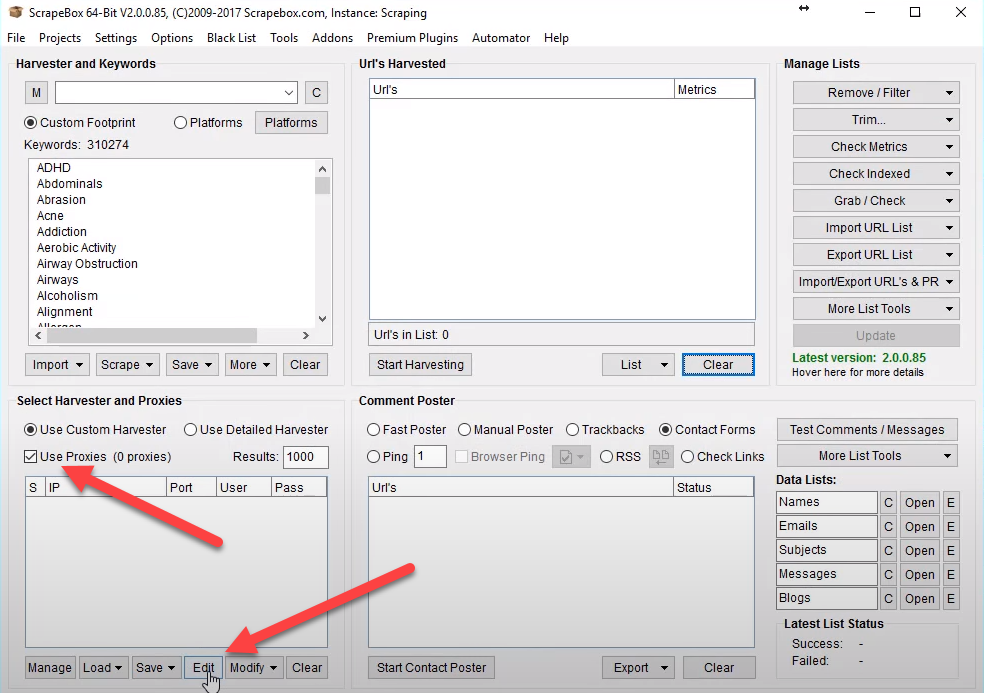
- In Select Harvester and Proxy settings check the "Use Proxies" checkbox and click on "Edit" button
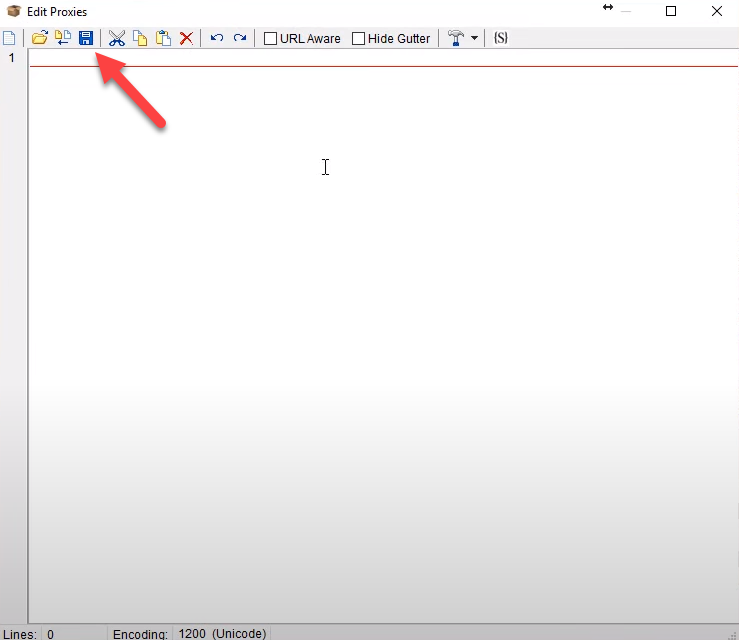
- In opened window you need to insert information of proxy you need to use. As far as Froxy offers login/password authorization, you need to insert information in corresponding format: IP:PORT:USERNAME:PASS (for example: 23.109.55.108:9000:username:password). All this information you can find in your Froxy Dashboard. After adding proxies you need to apply changes by clicking on Save button
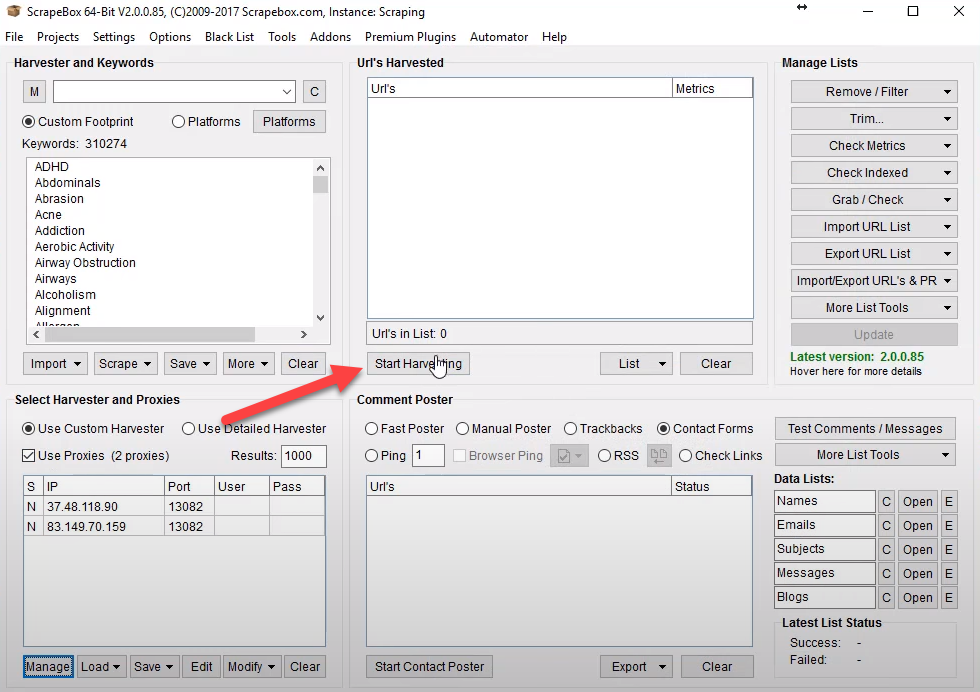
- Then you can go to URL's Harvested section and click on "Start Harvesting" button
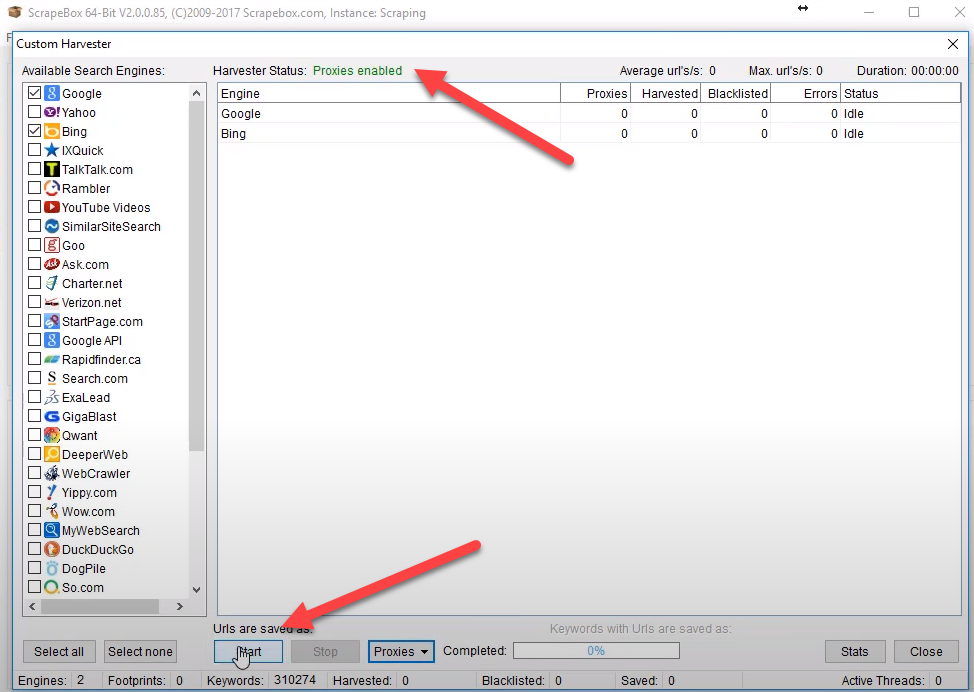
- In opened window you can choose what search engines you'd like to use and check option "User server proxies" as listed on a screenshot
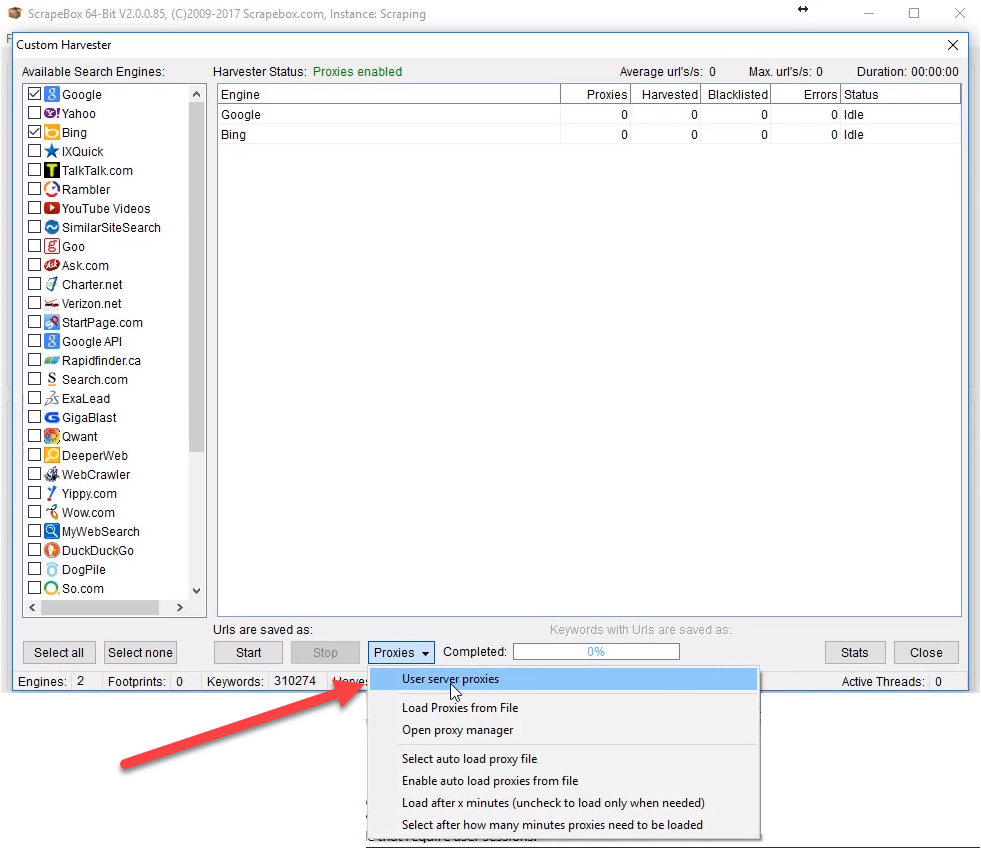
- Finally you should click on "Start" button. Harvesting should begin. If you've done everything correctly, you'll be able to see notification "Proxies enabled"
- Now you can use Froxy proxies with Scrapebox!