- Open Nstbrowser application
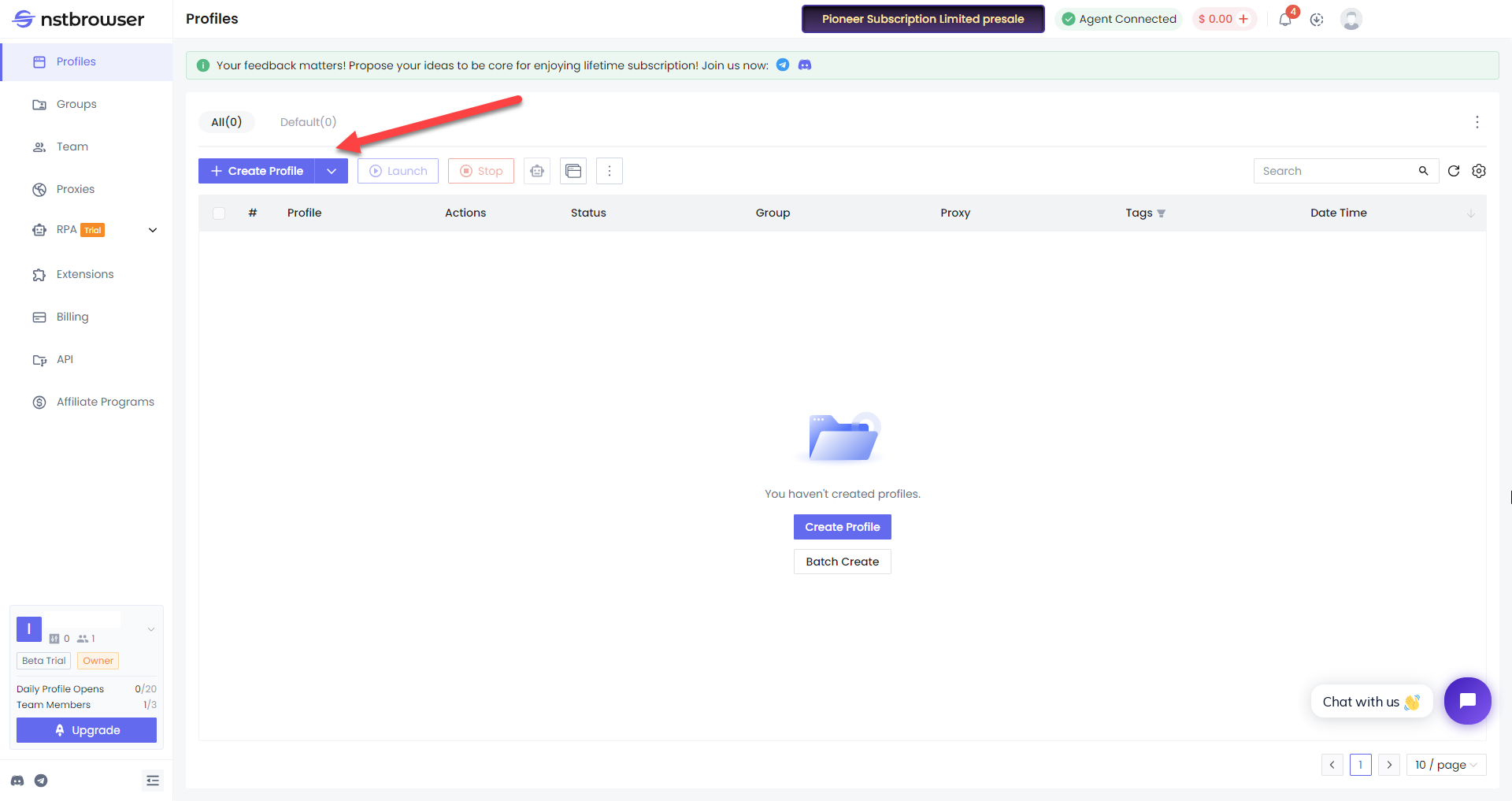
- Choose “Profiles” → “Create Profile”:
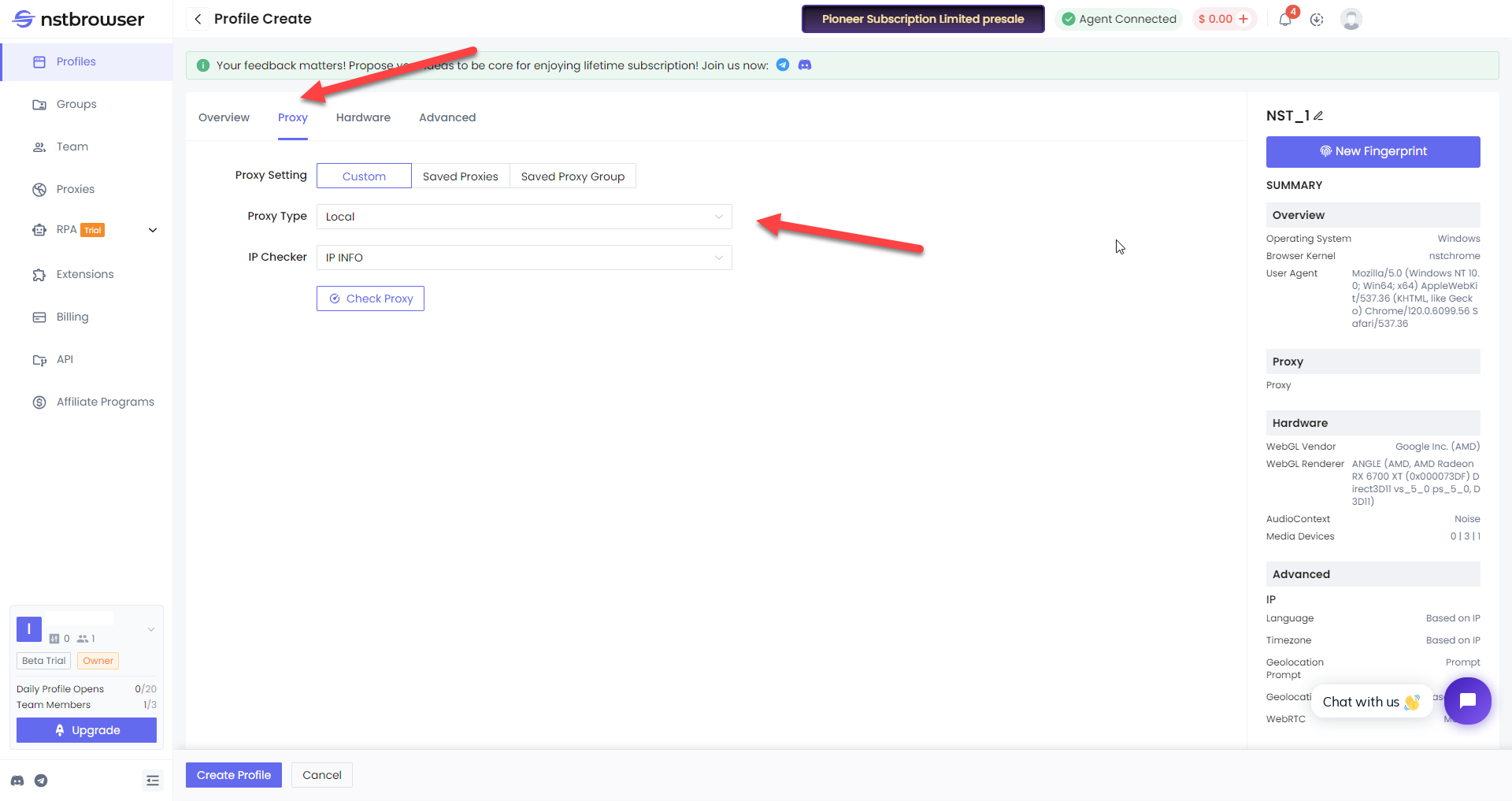
- Create your profile, go to “Proxy” tab, pick “Custom” in “Proxy Settings” and pick “Custom” in “Proxy Type”:
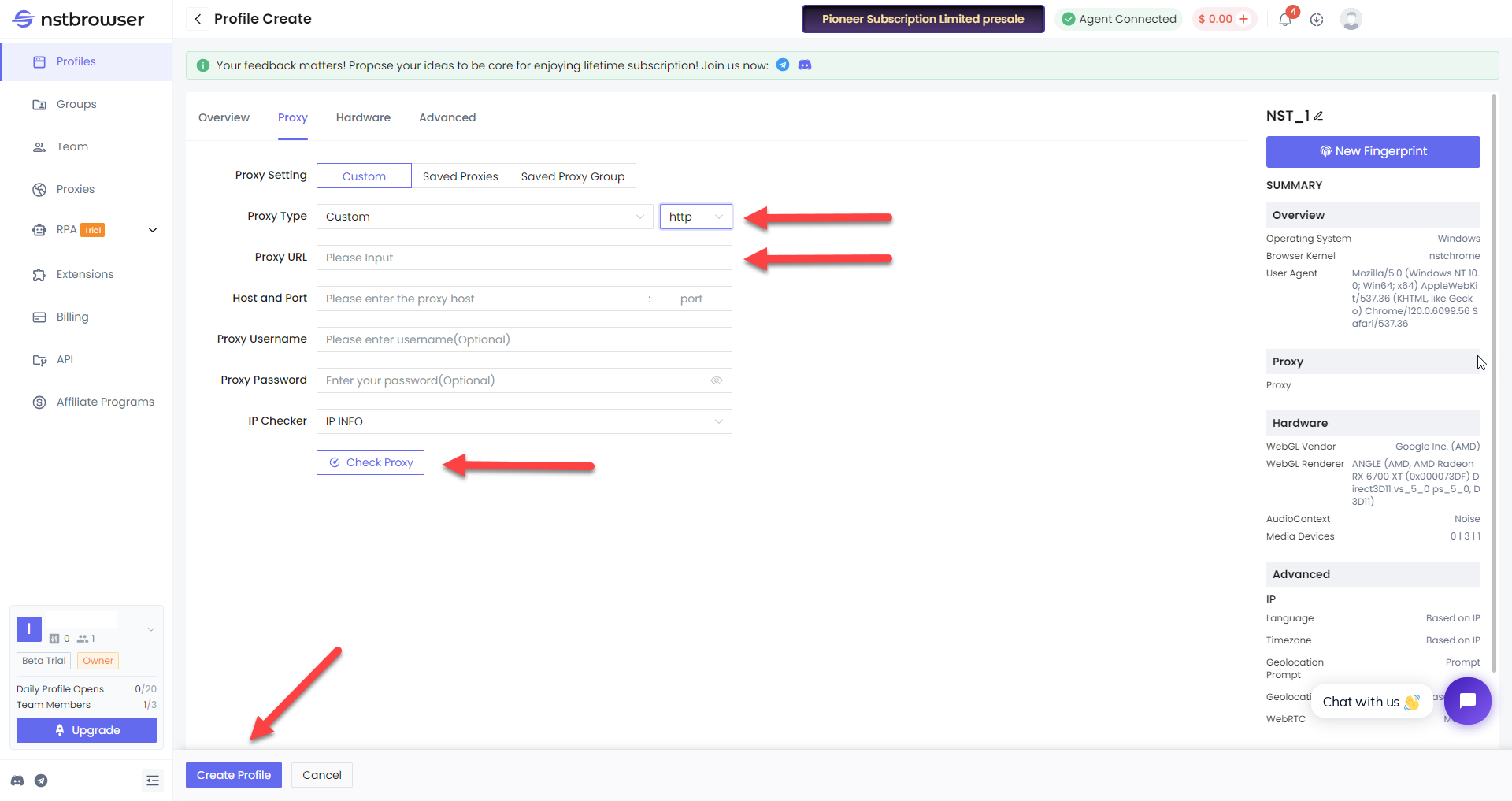
- Set Proxy Type as HTTP, copy from your Froxy Dashboard Proxy URL and click “Create Profile” (you can check proxy availability by clicking “Check Proxy” button):
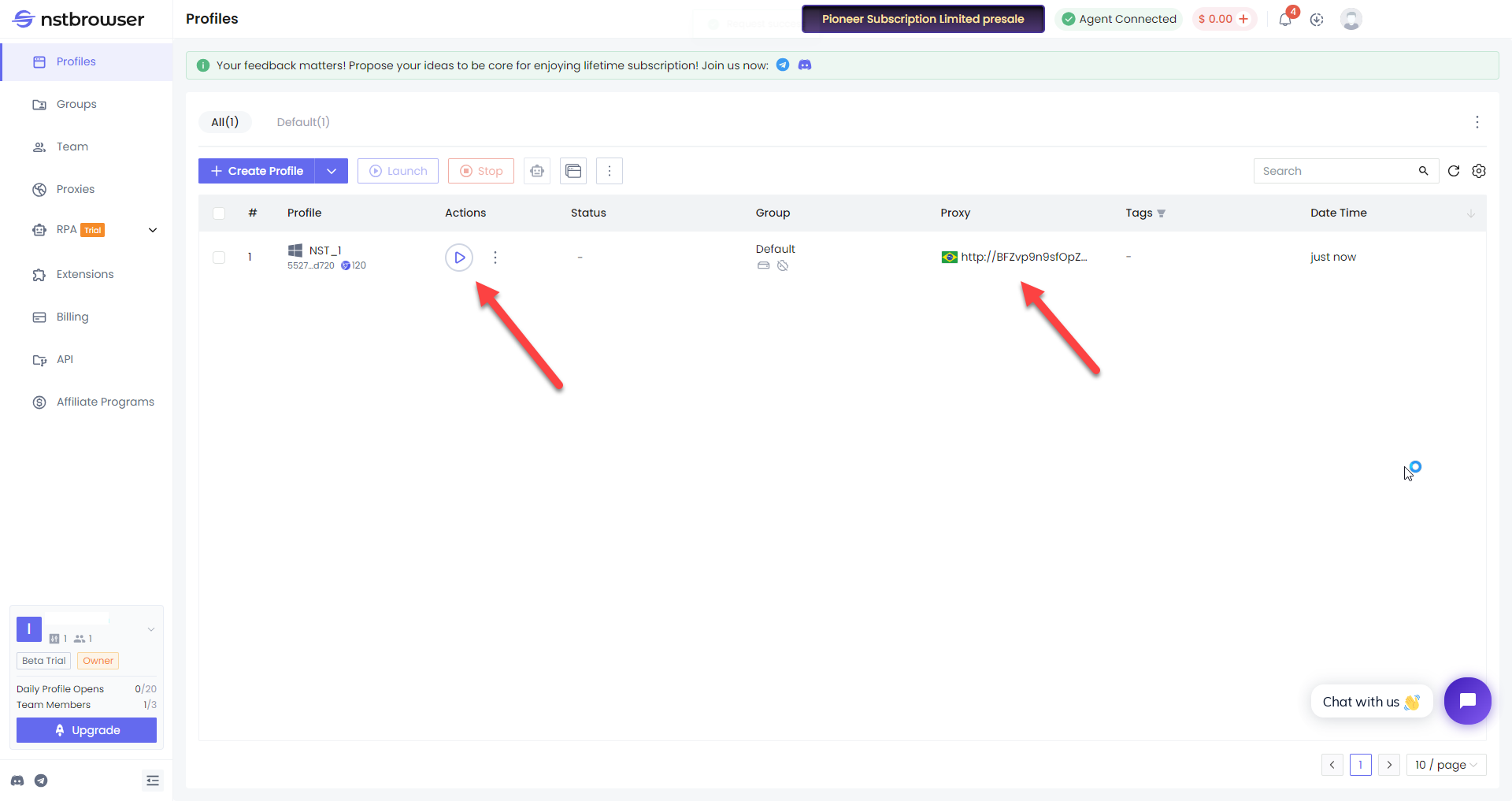
- Go back to “Profiles” and click “Start” button next to your created profile (added proxy will be listed in your profile info):
- Now you can use Froxy proxies with Nstbrowser!