- Open VMLogin app
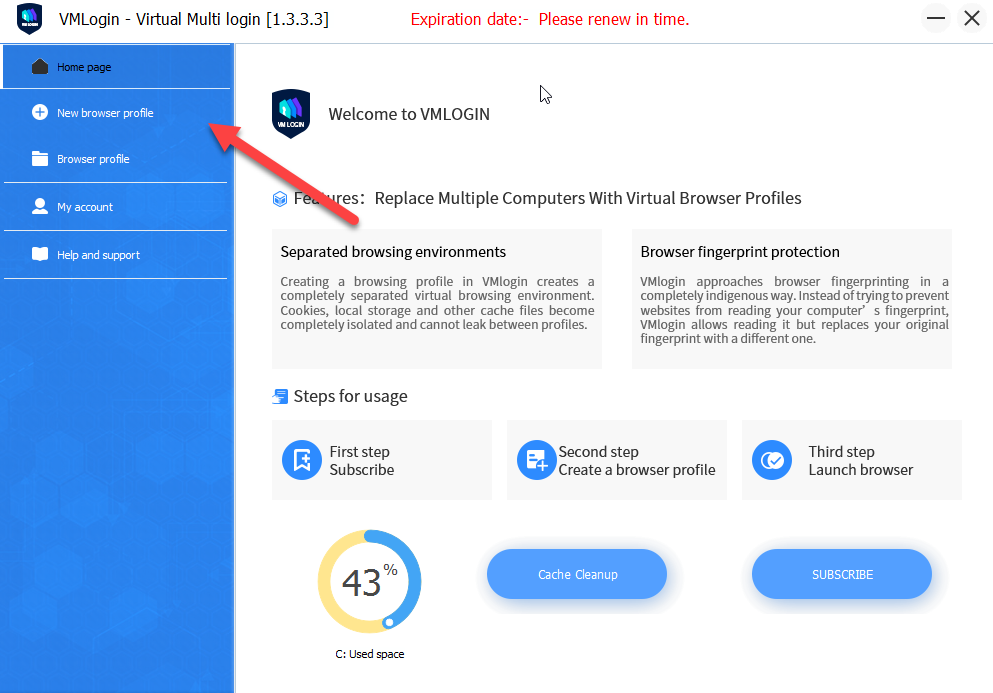
- Choose New browser profile
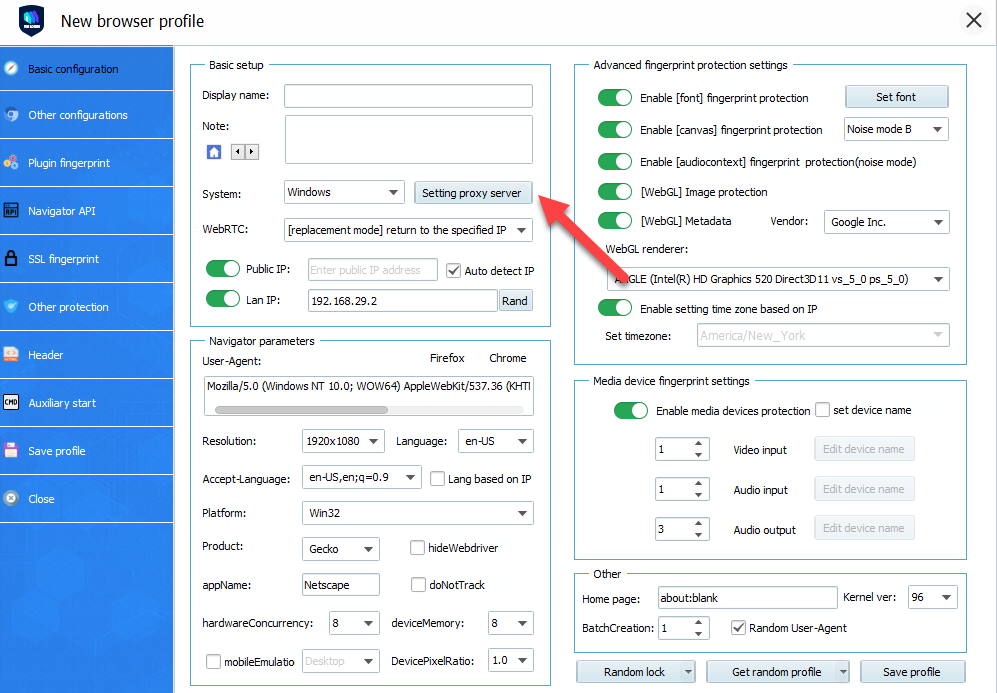
- In the opened window choose Setting proxy server
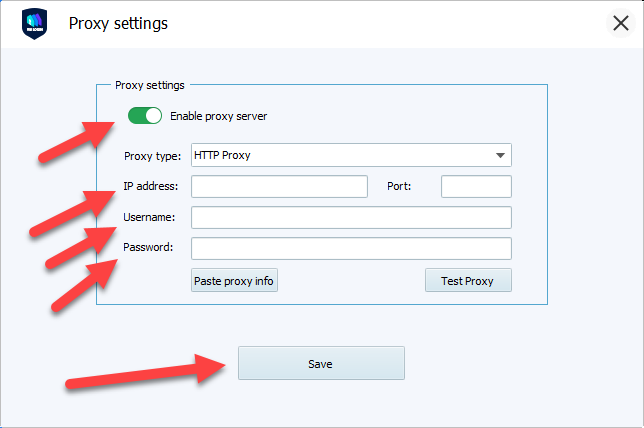
- Next turn toggle Enable proxy sever and fill all necessary information, like proxy type, IP address, port, login and password and click on Save button. You can find all this information in your Froxy Dashboard
- Now you can use Froxy proxies with VMLogin!